.png)

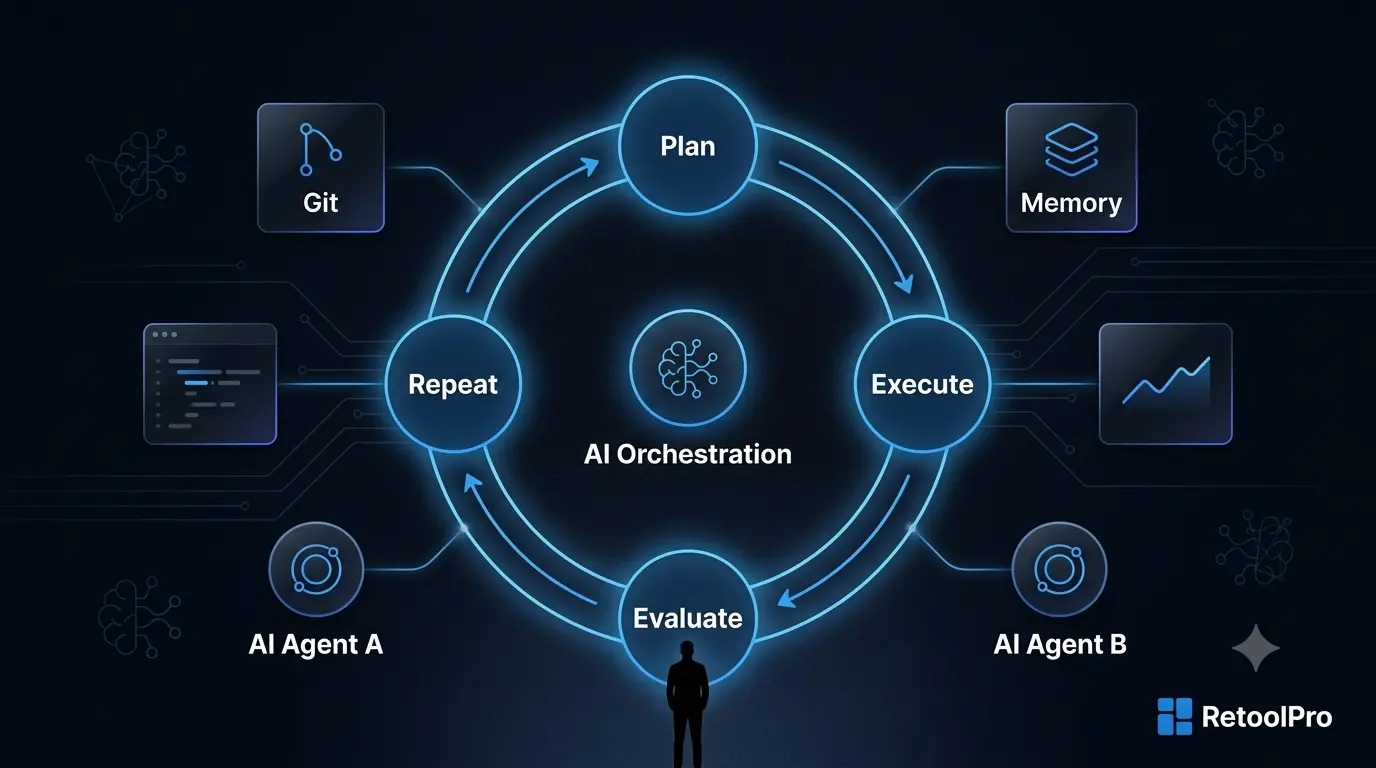
What Is AI Automation? A Complete Beginner's Guide
AI automation is the use of AI models usually large language models (LLMs) to handle the judgment-based steps inside a workflow that traditional, rule-based automation can't, reading unstructured input, making a decision, drafting a response, or routing something to the right place.
AI automation is what happens when you stop telling software exactly what to do for every possible scenario, and instead give it the context and judgment to figure it out itself, within limits you define.
It sits at the intersection of three things that used to require separate tools: a builder platform to design the workflow, an AI model to handle the reasoning, and a set of connected systems (databases, APIs, apps) the AI can actually read from and write to. Only about 28% of enterprises currently describe their AI adoption as "mature" meaning most companies are still early, which is exactly why getting the fundamentals right matters.
AI Automation vs. Traditional Automation
This is the distinction that trips people up most. Traditional automation think Zapier chains, basic RPA, if/then rules is excellent at doing exactly what you tell it, the same way, every time. What it can't do is handle ambiguity.
Traditional automation:
· Follows fixed rules, always
· Struggles with unstructured input like emails, PDFs, or chat messages
· Needs reprogramming every time an edge case shows up
· Doesn't learn from context or history
· Best suited for high-volume, repetitive, rule-based tasks
AI automation:
· Can follow fixed rules, but isn't limited to them
· Handles unstructured input naturally
· Adapts to new situations within defined guardrails, instead of breaking
· Uses context and history to make better decisions over time
· Best suited for tasks that require reading, reasoning, or drafting
Where the line actually gets crossed
The shift happens the moment your workflow needs to answer a question like "does this email require urgent attention?" or "is this the right vendor for this invoice?" That's not a rule it's a judgment call, and it's exactly what an LLM is built to make.
How Does AI Automation Work?
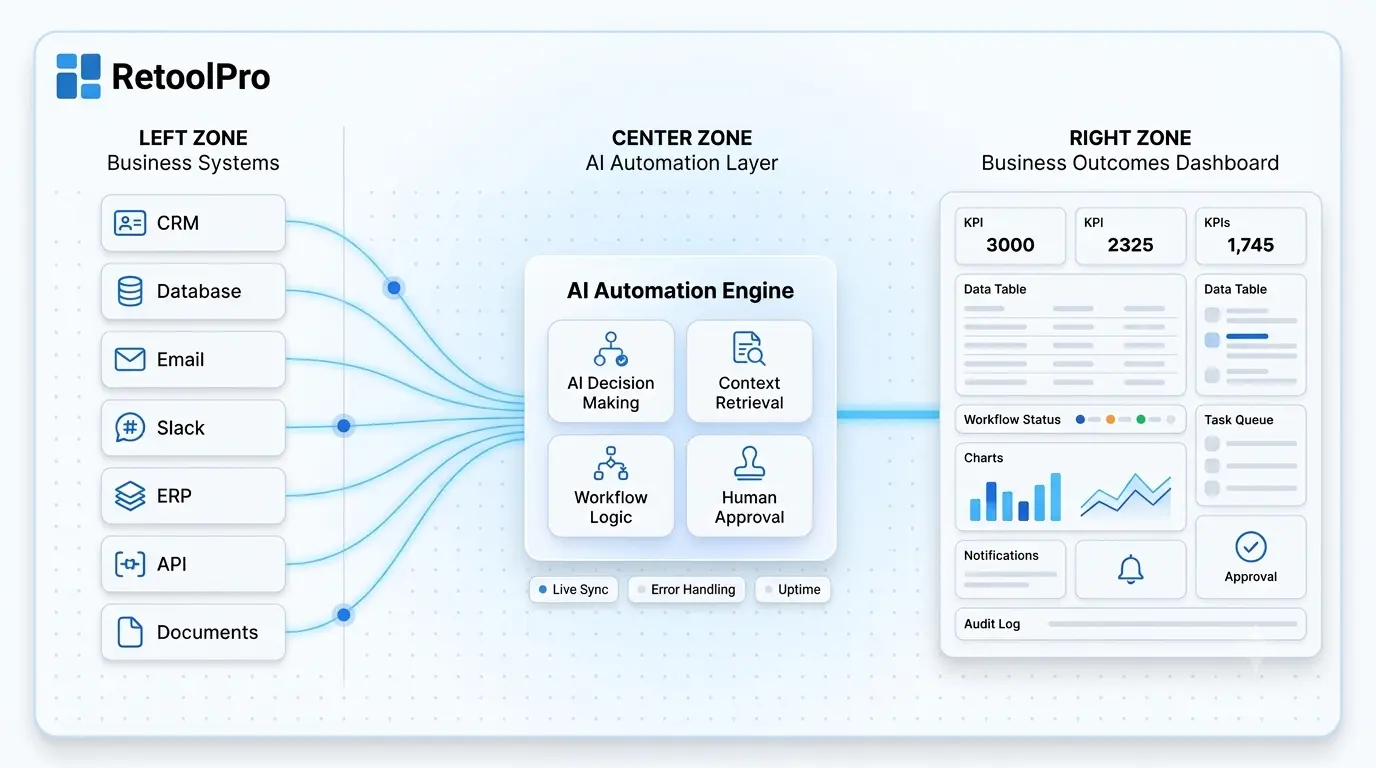
Most AI automation systems regardless of whether you build them in Retool, n8n, or a custom stack follow the same underlying shape.
1. The Trigger Layer
Something has to kick the process off, a new email, a form submission, a webhook from another app, or a scheduled check. This is identical to how traditional automation starts.
2. The Context Layer
Before the AI can decide anything, it needs data. This layer pulls relevant records from your CRM, database, or documents so the model isn't reasoning in a vacuum.
3. The Reasoning Layer
This is the part that makes AI automation different from everything that came before it. An LLM (like an OpenAI model) reads the input plus the retrieved context, and decides what should happen next — classify, draft, escalate, or approve.
4. The Action Layer
The system executes whatever the reasoning layer decided sends a reply, updates a record, creates a task, or routes to a human. This is where tools like n8n or Make.com typically handle the actual execution.
5. The Audit Layer
Every decision gets logged what came in, what the AI decided, and what happened as a result. Skip this layer and you lose the ability to debug or improve the system later.
What Can You Automate with AI? (Real Examples)
This is where AI automation stops being theoretical. Here's what teams are actually shipping right now:
· Customer support triage — reading incoming tickets, classifying urgency, and drafting first-response replies
· Document processing — extracting structured data from invoices, contracts, and intake forms
· Lead qualification — scoring inbound leads against your ideal customer profile and routing the strong ones to sales
· Internal knowledge lookup — answering employee questions from your own internal docs instead of pinging Slack
· Operational reporting — summarizing daily activity across multiple systems into a single digest
· Approval workflows — flagging exceptions for human review instead of blocking every request
· Vendor and invoice matching — comparing incoming invoices against purchase orders and flagging mismatches
· Onboarding and intake — reading new customer or employee submissions and routing them to the right next step
Adoption isn't even across functions customer service currently leads at 56% adoption, with AI already handling around 30% of customer interactions industry-wide, a share that keeps climbing.
If a task involves reading something, deciding something, and then doing something it's a strong candidate for AI automation.
Who Is AI Automation For?
AI automation is the right fit if your team matches at least one of these profiles:
· Operations leads drowning in manual triage, data entry, or reporting that eats hours every week
· Support teams getting buried in ticket volume that's too varied for a simple chatbot script
· SaaS companies that need internal workflows connected across their CRM, database, and support tools
· Logistics and healthcare operators where intake documents and forms vary too much for rigid rules
· Founders and ops teams who've outgrown spreadsheets but aren't ready for a full engineering hire
If none of those match your situation, traditional rule-based automation is probably simpler and cheaper AI automation earns its cost when ambiguity is the actual bottleneck.
The Core Components of an AI Automation Stack
A production-grade AI automation system usually has four layers working together.
The builder / interface layer
This is where the workflow gets designed and where humans interact with the system when needed — approving edge cases, reviewing flagged items, or monitoring performance. Retool is the tool of choice here for teams that need this connected directly to real data.
The orchestration layer
This handles the "glue" triggering steps, passing data between systems, and sequencing actions. n8n and Make.com are the most common choices for this layer.
The reasoning layer
This is the AI model itself most commonly an OpenAI model that reads context and makes decisions within the guardrails you've defined.
The data layer
Everything above is only as good as the data underneath it. Supabase and PostgreSQL are the standard choices for storing records, context, and audit logs reliably.
AI Automation vs. AI Agents: What's the Difference?
These two terms get used almost interchangeably, but they're not the same thing.
AI automation typically refers to a defined workflow the steps are mapped out in advance, and AI handles specific decision points within that fixed structure.
AI agents have more autonomy. Instead of following a fixed sequence, an agent can plan its own next steps, decide which tools to use, and adapt its approach across multiple steps without a human defining every branch in advance.
Think of AI automation as a flowchart with smart decision points. Think of an AI agent as a system that can redraw its own flowchart as it goes.
Agentic AI is projected to be embedded in roughly 40% of enterprise applications by the end of 2026, and companies deploying agents today are already reporting real revenue impact but Gartner also expects more than 40% of agentic AI projects to be cancelled by 2027 due to governance and ROI gaps. The takeaway: agents are powerful, but they need tighter guardrails than standard automation.
Is AI Automation Worth the Investment?
Short answer: yes, but unevenly and the data is honest about both sides of that.
On the upside, top-quartile AI use cases have delivered roughly 3.5x returns, with about half of adopting organizations reporting revenue gains and a third reporting real cost reduction. Businesses running mature AI automation also report meaningfully fewer operational incidents and faster resolution times in functions like IT operations.
On the other side, only around 25% of companies have captured significant value from their AI investments so far. The gap between the winners and everyone else usually isn't the technology — it's how narrowly and clearly the first project was scoped.
The tool isn't the differentiator. The scoping is.
How to Get Started with AI Automation
You don't need to automate everything at once and trying to is one of the fastest ways to stall a project. A sensible starting sequence looks like this:
1. Pick one process that's high-volume, repetitive, and involves real judgment calls
2. Map the current steps exactly as they happen today, including the messy parts
3. Decide where AI adds judgment versus where simple rules are enough
4. Keep a human checkpoint on ambiguous or high-stakes decisions, at least initially
5. Log every decision so you can debug, audit, and improve the system over time
6. Expand only after the first workflow is stable — not before
Common mistakes to avoid
· Automating a process that's already broken — AI just speeds up bad workflows
· Removing all human review on day one
· Skipping the audit trail entirely
· Trying to automate five processes before any one of them is proven
When Should You Hire an AI Automation Agency?
AI automation tools are accessible — but there's a real gap between "I connected an API to a model" and "I've built a production system that handles real data, real edge cases, and real scale."
You should bring in a specialist when:
· You need multiple internal systems (CRM, database, support tool) connected in one workflow
· Your use case involves sensitive data that needs proper guardrails and audit logging
· You want the reasoning layer (OpenAI) wired cleanly into your existing tools rather than bolted on
· You don't have someone who's built production AI workflows before
· You need this to scale past a single process without becoming unmaintainable
This is exactly where RetoolPro fits. RetoolPro is an official Retool Agency Partner and 3x certified development agency specialising in AI-powered internal tools, dashboards, and workflow automation for SaaS and enterprise teams. We've built AI-driven operational systems across 20+ industries — from a real-time meal operations dashboard for HalalMeals.ca to the kind of connected platform work behind NterNow, later acquired by Allegion for $4.5B.
Conclusion
AI automation isn't about replacing your team — it's about giving them back the hours they lose to reading, deciding, and re-typing the same information across systems. Start with one process, keep a human in the loop where it matters, and let the results guide what comes next. The businesses winning with this right now aren't the ones with the fanciest models, they're the ones who scoped their first workflow well.