Use Case

QuickBooks Accounts Receivable, Billing & Collections Workflow Automation

Automated invoicing, payment reminders, collections, CRM updates, and SMS notifications with an AI-powered QuickBooks accounts receivable workflow.

Retool logo next to a badge labeled Agency Partner with a blue checkmark.
Case Study
QuickBooks AR
Industry
AI & Automation
Platform
Retool
Type
Business Automation

Business Outcomes

Automated recurring fee application across 30, 60, and 90 day stages

Eliminated manual bill updates for compliance related admin fees

Kept QuickBooks and Zendesk Sell records consistently in sync

Added retry handling to prevent missed or failed updates

Problem Statement

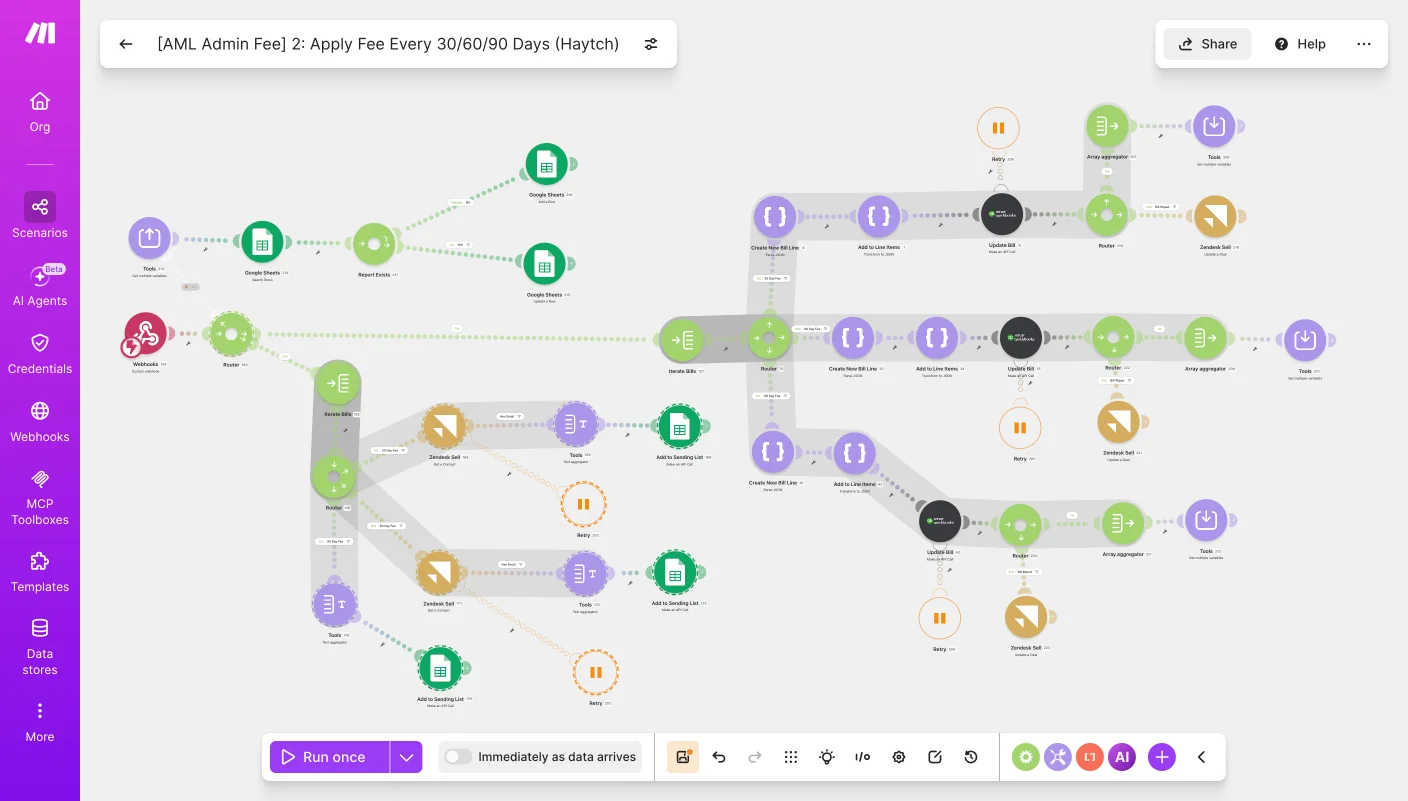
This automation was built for a business handling compliance-related billing that needed a way to consistently apply admin fees at set intervals without relying on someone to manually track and update each bill. Before this, applying the correct fee at the 30, 60, or 90 day mark meant checking each bill by hand and updating both QuickBooks and the CRM separately, leaving room for missed or inconsistent updates. Now the system automatically works through open bills, applies the right fee based on how many days have passed, updates the corresponding line items, and keeps both QuickBooks and Zendesk Sell in sync while logging progress to Google Sheets.

Solution Design

The workflow starts on a webhook trigger, then checks Google Sheets to confirm whether a report already exists before iterating through the relevant bills. Each bill is routed based on its age, either 30, 60, or 90 days, and QuickBooks is updated with a new bill line and line item reflecting the applied fee. The updated bill amount is then aggregated and passed back through the flow, where Zendesk Sell is updated to reflect the change on the corresponding deal, with retry logic in place in case any step fails along the way.

Business Outcomes

Automated bill amount updates across multiple agreement types

Eliminated manual tracking of admin charges by agreement stage

Reduced errors in matching bills to the correct supplier

Kept billing records synced automatically between Zendesk Sell and QuickBooks

Problem Statement

This automation was built for a business managing customer billing across multiple agreement types that needed a consistent way to keep bill amounts aligned with actual payment terms. Previously, updating bill amounts to reflect different customer agreements and admin charges meant manually tracking which supplier or account each bill belonged to and adjusting figures by hand, a process that was easy to get wrong as agreement stages changed. Now the system automatically pulls records, checks which agreement type applies, and updates the correct bill amount and admin charge in QuickBooks without anyone needing to step in.

Solution Design

The workflow runs on a recurring schedule, pulling records from a connected data store and checking them against Zendesk Sell through an iterator that processes each item in sequence. From there, a series of routers sort records based on which agreement type applies (such as HAYTCH or ACG) and how many days have passed since approval, typically at the 30 or 60 day mark. Depending on the match, QuickBooks searches for the right supplier and updates the bill with the correct charge percentage, whether that's a flat admin fee or a full charge, and logs the update back to the data store for each case.

Business Outcomes

Automated overdue bill tracking across 30, 60, and 90 day stages

Eliminated manual checks for unpaid invoices in QuickBooks

Sped up client follow-up on aging balances

Kept billing records accurate and up to date automatically

Problem Statement

This automation was built for a business managing recurring invoicing that needed a better way to stay on top of unpaid bills without someone manually checking QuickBooks every day. Before this, tracking overdue balances and adjusting bill amounts based on how long they'd gone unpaid was a manual, time-consuming process that made it easy for follow-ups to slip through the cracks. Now the system runs on a recurring schedule, searches QuickBooks for unpaid bills, adjusts amounts based on how long each bill has been outstanding, and automatically reaches out to the client by SMS or email depending on what contact info is available.

Solution Design

The workflow runs every 15 minutes, searching QuickBooks for unpaid bills and pulling in the relevant billing details. It then routes each bill through a series of checks based on how many days it's been outstanding (30, 60, or 90 days), adjusting the bill amount and updating the corresponding line items in QuickBooks at each stage. Once a bill hits a certain threshold, the flow pulls the contact's info and decides how to follow up: if a phone number is on file, Twilio sends an SMS reminder, and if not, an email goes out instead, with everything logged back to the record.

Business Outcomes

Eliminated manual supplier and bill creation at every AML stage change

Reduced delays in notifying contacts during compliance review

Streamlined accounting record accuracy between Zendesk Sell and QuickBooks

Added built-in retry safeguards to prevent missed notifications

Problem Statement

This automation was built for a sales operations team to eliminate the manual work of preparing supplier records and billing documentation whenever a deal reaches a key compliance stage in the pipeline. Previously, moving a deal into anti-money-laundering (AML) review required someone to manually create supplier profiles, generate a bill, and separately notify the contact — a process prone to delay and inconsistency. The automation now triggers the moment a deal shifts into AML status, automatically builds the supplier and bill records, and notifies the contact by SMS or email depending on the information available.

Solution Design

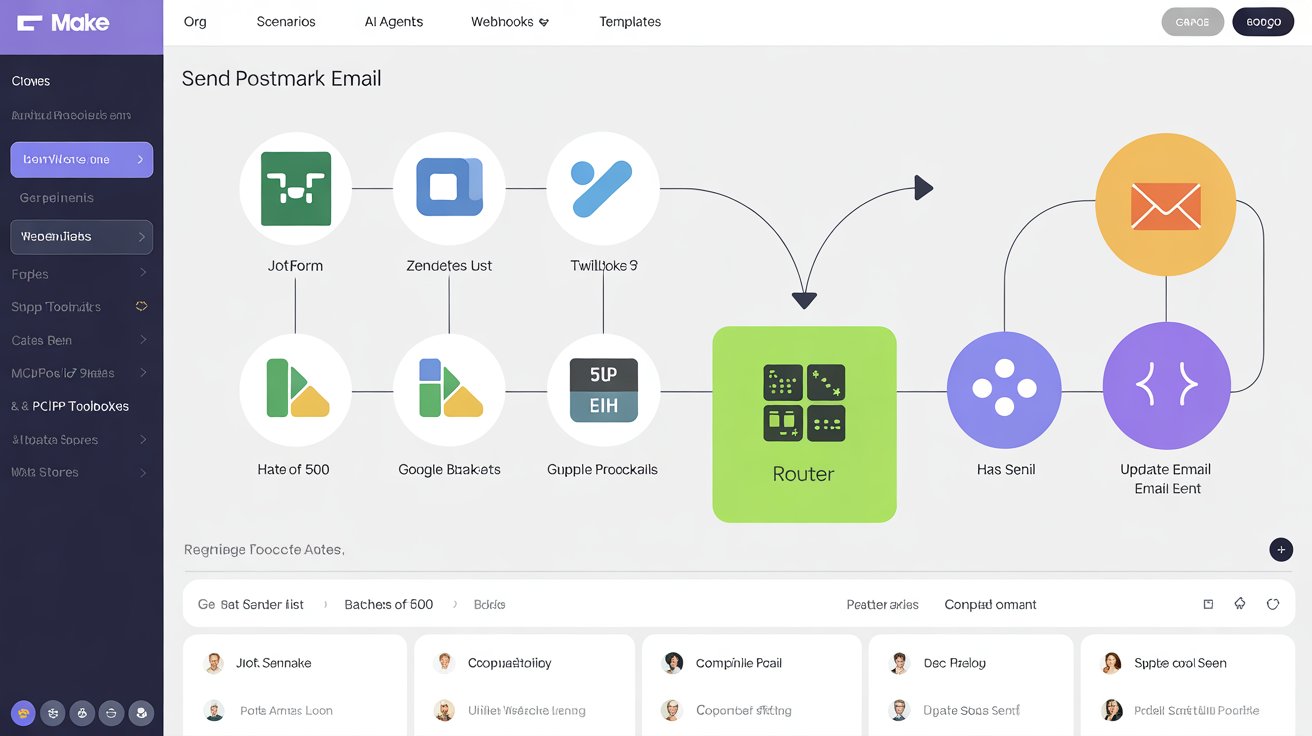
The workflow is triggered through a webhook when a deal moves into AML status, then pulls the deal, contact, and owner details before routing based on whether the supplier already exists. Make.com handles the branching logic, checking and either creating or updating the supplier record and corresponding bill in QuickBooks. A second router then determines the contact method: if a phone number is present, Twilio sends an SMS notification with retry logic; otherwise, an email is sent and logged to a connected data store for recordkeeping.
Analytics & Operations
End-to-end analytics system automating data consolidation and KPI visualization. Eliminated manual exports, improved sales tracking 35%, enhanced productivity gap identification by 50%.
Read moreIkonik Icon
Real Estate & Construction
End-to-end construction dashboard projects, sales, HR, and inventory management. Reduced manual workload 70%, eliminated data and provided leadership visibility.
Read moreIkonik Icon
Telecoms & ISP
Full PostgreSQL database and centralized admin panel for ISP operations. Unified user management, content, transactions, and media. Content updates 3x faster, response improved 40%.
Read moreIkonik Icon
We are here to help you

Are you ready to optimize efficiency and drive growth?
Get in touch today.

Book My Operational Audit
graph of growthgross volume
retool-table
Contact
LinkedInYouTubeconnect@retoolpro.com
© 2026 RetoolPro Pvt Ltd.
Privacy Policy